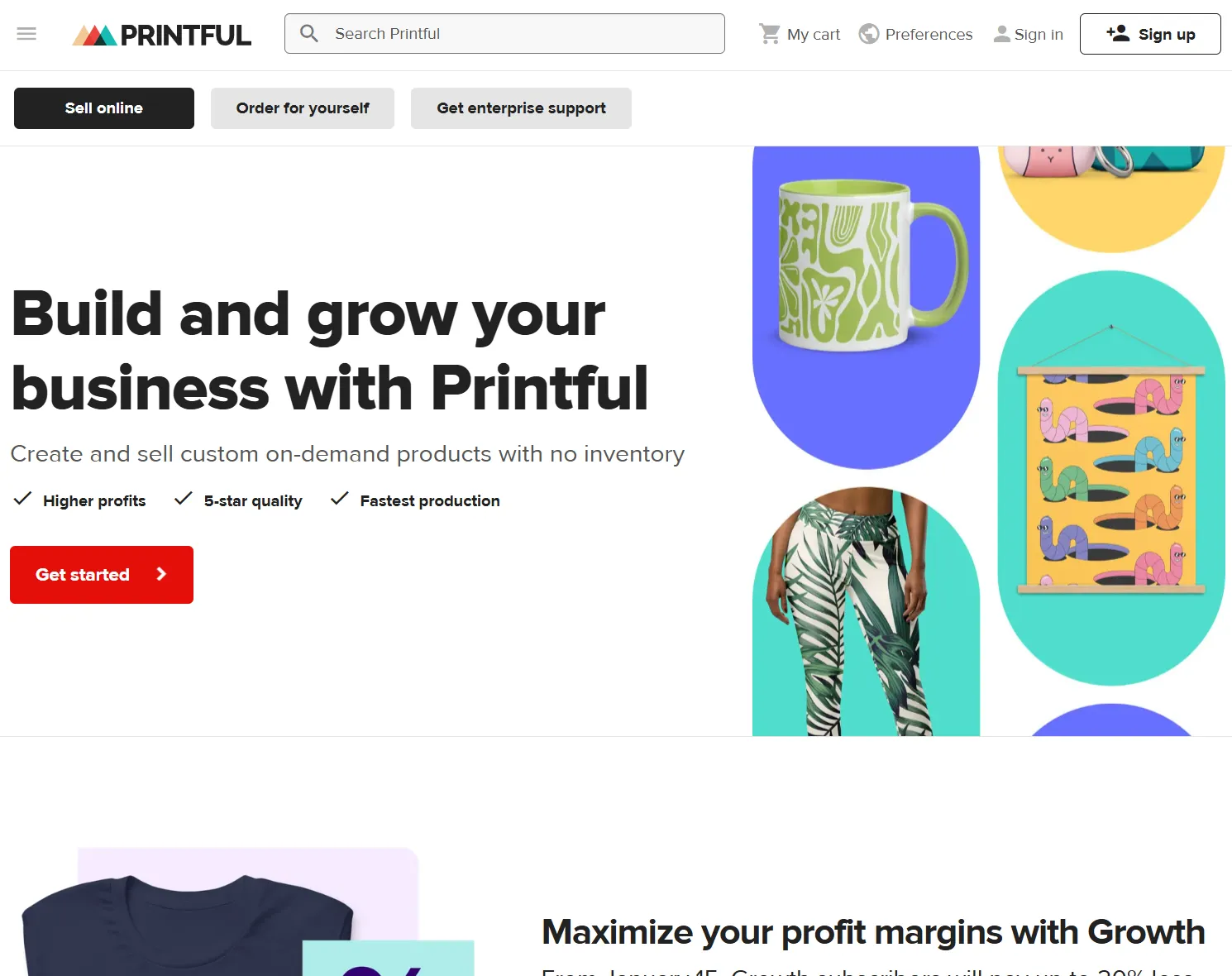
This article will discuss my experiences using Printful. I used this service on two different online stores—my small Dutch webshop (now gone) and my larger international webshop—to provide automatic fulfilment of merchandise (or “physical goods” in general).
This article is not sponsored, there are no affiliate links, I have no bias, nothing of the sort. I reluctantly created online stores because I needed some way to earn money as an artist and creative person. I absolutely despise advertising, marketing, money, and everything that comes with it, which means I was basically adversarial to Printful every step of the way.
Additionally, I don’t like being beholden to a single platform. (What if Printful suddenly raises all their prices? Or goes out of business? I’d lose my entire shop at once!) I tried ~8 different POD platforms behind the scenes, which means I’ll be drawing a lot of comparisons.
As such, I believe my thoughts on this platform will be the most brutally honest out of any reviews you can find.
As always, I’ll try to keep it brief and practical! However, actually using multiple POD (print-on-demand) platforms on multiple large webshops that I custom-built myself … is bound to give me a lot of nitty-gritty in-depth experience with every part of it. And I don’t want to leave anything out.
If you’re going to read any review of mine (about POD platforms), make it this one! It’s the longest, it’s the first platform I used, and any more general remarks are mentioned once here and not repeated again in other reviews. (They all link to this one at the start, too.)
What is Printful?
Printful is the largest print-on-demand platform. It means you can design your own merchandise (T-shirts, hats, bags, mugs, …) and let them autmatically fulfill and ship it when someone orders something from your shop.
I’d say it’s the largest for a good reason, though it’s battling with Printify. Of all the platforms I used, it has the cleanest (and most error-free) interfaces, one of the largest product catalogs, and it prints + ships using in-house factories all over the world.
For comparison, many POD platforms had to ask a ludicrous shipping fee (10+ euros) when I wanted to use them for my Dutch webshop, simply because they only had a single factory somewhere in America. Which means I simply can’t use them. Additionally, some POD platforms don’t even have a proper interface, let alone one that functions as it should.
That’s why I wanted to try this one first, and why it ended up being the platform I used the most (at the start).
How does it work?
You go to the website, you sign up, and you start you first store. You don’t even need to enter any credit card information or verify anything to get started.
It’s not recommended, though, to do that. More about that in a second. But in theory, you could make an account right now and get your first dozen products or so put into their system within an hour.
The general workflow for creating a product is as follows:
- Design something nice!
- Then turn it into a specific product template. (Pick that product from their catalog, pick the button to design it, then upload your images/add your text/design stuff with their interface.)
- When happy with it, automatically send product to your store. (Add details, variants, pricing, select mockups, etcetera.)
- Once it’s fully listed, potentially improve the listing further on your store (with stuff Printful can’t do)
The idea is that you can duplicate and reuse the same “templates” for multiple products, which is nice. It also means you must be mindful: changing the template underpinning a design will change the design from now on. (Similarly, deleting an image used for an earlier template will cause the design to be blank or error when ordered by a customer.)
The general workflow for selling a product is as follows.
- You need your own storefront. Printful does not give you one. This means hosting your own domain (like I did), or using Shopify/Etsy, or any other ecommerce service.
- You need to connect the products you made to your storefront.
- Once somebody orders stuff … Printful handles the rest.
- It gives you a short window in which you can still cancel/change the order.
- Then it automatically goes into production and ships the final product(s) to the customer.
- When that happens, it charges you for the costs. If you don’t have enough money to pay, the order is kept on hold until you do.
All of these things can be changed in your settings. For example, while still testing your store and your first products, I recommend keeping order fulfillment at “Manual”. You need to manually approve each order, or nothing happens. This prevents silly mistakes that might cost you a lot of money.
Additionally, notice that Printful doesn’t charge a monthly fee. Only once something has been sold, does it ask you to recoup costs.
On the one hand, this is nice. It means no upfront costs. It means you only pay when something happens.
It’s also a bit dangerous. If you don’t set a proper price for your goods, you might be selling at a loss! Printful doesn’t care how you price goods. It will just force you to pay the cost of a product, and if that’s higher than what you asked for, you’re paying money instead of earning a profit.
It also means there is a delay between having to pay Printful, and getting the money that the customer owes you. This will usually be a day or two—maybe longer if they’re your very first transactions. You need some solid reserves in your bank account connected to Printful to accomodate this gap and prevent orders from failing because you’re out of money.
So that’s the general workflow. Design products into templates, then send them to your storefront, and make sure your settings/prices don’t make you lose money. Finances happen in two stages: first you pay Printful for making the thing, a few days later you get what your customer paid you through your storefront.
Can I “get rich quick”?
Obviously not. I almost didn’t add this section, but I realized some readers probably needed to hear this. Rather sooner than later!
There is no such thing as a “get rich quick” scheme. There are only individuals, who through luck or happenstance or hard work, get rich quick. So yes, there are people who start using e.g. Printful without a plan and stumble into 100,000 dollars profit the next month.
But 99% of people don’t earn enough to actually cover the costs (expressed in money or paying themselves minimum wage for time spent on this shop). If they earn anything at all.
You can basically approach Printful in two ways.
- As a hobby. Just having fun, just trying things out. Because there are no upfront costs, it’s fine if you never actually sell something, or your designs are bad. This was my approach for the first webshop: a learning experience, a playground, just make whatever and use free existing systems to display them.
- As a job. Be prepared to put in a solid amount of hours a week, not only creating new products but also doing the millions of other things needed to run an online store. Working hard is almost guaranteed to pay off, but it might take a while, because the world of online shopping is very saturated. With the lessons learned from my first webshop, I used this approach for the second one.
Do not approach POD expecting the inverse: to make a lot of money with very little work. To work like it’s a side-side-hustle, but expect finances as if it were a stable job.
With that out of the way, what was my experience? What’s good and what’s bad?
Designing
For the most part, the design interface and process at Printful is second to none. I believe they started as a tech company, and it shows in the usability, customizability and speed of their interface and systems.
The interfaces of different POD platforms, however, are also incredibly similar. So I’m not going to give the same list of things you can or can’t do, but rather give a more specific list of pros and cons for the design process at Printful.
Advantages
- Printful uses a file-folder system. This prevents your “uploads” folder from becoming one huge, unwieldy mess over time—as every design is in that single folder, as it is with most other systems. For example, at Printful I can make one folder per brand, and then put only designs for that brand inside the folder. I wish all platforms did this.
- Many of their products have real-time mockups, some even 3D. This is immensely helpful while designing.
- Their product pages give clear guidelines for the designs, such as the dimensions and resolution needed. Though, sometimes, this is wrong in subtle ways. (For example, the dimensions they give are without bleed/margin at the edge, or only for one specific variant while the others have a different aspect ratio.)
- It allows adjusting a design per variant. For example, I might want to position/scale an image slightly differently on the largest mug size (compared to the smaller mug). I can do that! And the design will still be neatly collected into a single listing.
- It gives clear and helpful warnings whenever there is something wrong, or something to simply be mindful of. (For example, see the previous bullet point. If a design requires readjustment for different variations, it will tell you and won’t allow you to continue before you checked it all.)
- Their website is the fastest for me when it comes to loading designs, saving them, and sending them to the store.
- Many of their operations are “asynchronous”. For example, I can already rename a template while it’s still generating the mockup behind the scenes. I don’t need to wait for every single step to be done before I can take another step.
- Partially because of this, you can easily edit/alter your designs after saving or using them already. Though I obviously don’t recommend this, as it creates messy situations if anyone already ordered, or the design is already in production, or now the mockups shown in your store might be incorrect.
Disadvantages
- Their mockups (which they auto-generate and send to your store) can be quite limited. This also depends on the product of course, as their bestsellers have more than enough varying mockups and choices. They also sometimes send waaaay too many images to my store. (Do we really need this T-shirt from 5 different perspectives, in every color?) If on a very cheap ecommerce solution, like me, you don’t want this as it eats into your bandwidth and storage space.
- Even worse, many of their mockups don’t generate properly. They know this. There’s a warning saying “you’re not seeing anything here, but the mockup sent to your store WILL be correct”. Well, that’s not great, is it? The idea of previewing mockups is to, you know, see what it will look like. Now I had to hope and pray with 90% of my products that it sent sensible mockups to my store with the final design on them.
- Similarly, some mockups are flat out wrong. Embroidery mockups, for example, can add a “3D bevel” effect (to simulate what it would look like in real life) which often just looks ugly … and at other times, this effect is NOT used, which makes the mockups inconsistent. At other times, images are just rotated wrong or cut off wrong, which is most prevalant on “All Over Print” items. (From a technical standpoint, yes, I know that those would be the hardest to generate mockups for because they print all over. But still.)
- Their interface has fewer options for designing on the fly. I do all my designing in my own software, locally, and then simply upload my final image and be done. Printful seems set up to work that way. I never had a reason to do any more designing from within their interface, so I can’t say too much about that. But it seems like your options are often limited to just adding text boxes or clip art/premade designs by them.
Templates & Listings
Okay. So you finished your design, which means it is now saved as a template. It’s not added to any store yet. In fact, you probably noticed you haven’t given a description, or price, or anything of the sort.
That happens as soon as you “add template to store”. For this to work, you should have already connected/integrated your existing storefront with the account. For WooCommerce, this is as simple as installing their plugin and pressing the button to link the two. For my other webshop, I use their API directly, in which case connecting means grabbing a secret API token and using that with your requests.
I prefer to call this step “publishing”. And the important part, for me, was to realize that you do NOT need to publish when you use their API. Publishing means pushing the product to some integrated storefront.
But when you use the API, your storefront is custom and you don’t need to do this. Publishing, in that case, means doing whatever is needed on your end to input the product and its unique ID that connects it with Printful’s API. Pressing the Printful button to “publish” a product meant for API usage will break the system on multiple POD platforms!
This is the lesson:
If using a common storefront (such as WooCommerce), you must publish the product templates to it. If you use the API instead, just make the product template and you’re done on the side of Printful. (Similarly, all the details such as price and description are handled by your custom store too, Printful has no clue about any of that.)
When you press that button, it will now ask for all the expected details.
- Which variants (different colors, sizes, etcetera) to include?
- Which mockups to use?
- What’s the title, description and other details?
- How to price it?
Advantages
- This step-by-step process is quite clear and intuitive. You’re not overwhelmed with information all at once, you can easily go back and forth, and it’s clear what you’re doing. The fact I haven’t made a single mistake when publishing a Printful template to my Dutch webshop, shows the clarity of that interface.
- Their integration with WooCommerce reads some data from my website, such as the list of available Categories. This saves me from manually entering that information later on my website.
- You can handle a large number of variants with one listing easily, as well as duplicate templates to create similar products very quickly. (Example: I made 6 designs that could be either on a shirt or a canvas, so I created two templates and duplicated a few times, and I had all 12 unique products properly added to my store within ~30 minutes.)
Disadvantages
- Most platforms have an “auto-add” functionality for common/required information, such as European GPSR rules or the Size/Measurements chart. Printful has one too! But … it’s so broken and useless that I never used it.
- I had to look up their product page and manually copy the GPSR section there, for example, for all products. (This is an extra subsection underneath “Description”, which feels like it was added in a hurry.)
- Because when you press the “add GPSR” button in the interface, you only get a few generic input fields to add your address (I think, it’s not clear), which is not actually useful or 100% of what you need for this regulation.
- The description is not copied to WordPress as rich markup, but as flat text. This means that empty spaces are often wrong, the list of details is not an actual list (just separate lines with a literal bullet point symbol in front), etcetera. I lost a lot of time editing their descriptions to make them consistent and how I actually input them.
- I wished Printful would read more data from my website, so I could also set tags (for example) directly within Printful. I still need to do too much work after already sending the template to my store and “automatically” creating a listing.
Pricing & Payment
Shipping Fees
The final step of publishing a Printful product to your store, is setting the price. You can use many different pricing techniques, and this article isn’t about them. I will merely explain what I tried (and use nowadays), and how that impacted my workflow at Printful.
I started out by simply pricing things “competitively”, and letting the customer pay shipping fees at checkout.
This worked fine! But …
You have to enable live shipping rates yourself. Go to WooCommerce Settings > Shipping > Printful > Enable checkbox.
If I hadn’t realized this in time, it might have cost me a LOT of money. As I’d be paying through the nose for shipping, while the customer gets free shipping on all Printful stuff. A clear warning about this—or enabling by default—would have been nice.
Nevertheless, once enabled, it worked flawlessly. Whatever the order, even when mixed with other products, it displayed the correct live shipping fee to the customer’s address.
The issue, of course, is that shipping fees are sometimes ludicrous. Just extremely high when they have no reason to be. It doesn’t help that Printful is mostly focused on the United States, while I needed shipping to the Netherlands (and neighbors). I asked a few others to check out my website in progress, and all of them had just one type of feedback: shipping fees at the end are a shock, that will turn off basically all customers.
And I agreed. Adding 50 euros of shipping fees on top of a 50 euro offer is idiotic. And it’s frustrating, almost close to swindling, when it appears at checkout, at the final final step of purchasing something.
After checking out tons of products and their pricing, I realized there was only one solution.
- Lock your products to specific zones where you can make sure shipping fees are low and consistent.
- Then simply include the fee into the product price and offer free shipping
For example, I only picked Printful products that were produced locally, and only allowed shipping (on my webshop) to the Netherlands and nearby countries. It took me a while to figure this out, but the product pages at Printful are really the main resource you want to check out.
- At “Shipping” you can get the shipping fee for any country (including reduced “next item” shipping)
- At “File Guidelines” you can get those guidelines I mentioned earlier.
- At “Source” you can see the original source for the blank product, not the final product! (This source is often China, for example, but the actual printing and shipping does not start there.)
- At “Availability” you can see where it’s produced, down to which variants are available at that specific location and whether they’re in stock.
That final tab is the important one. I realized Printful had three main printing locations close to me (Latvia, Spain, UK). Any product (variant) that could be made there, had cheap and consistent shipping to the Netherlands. As such, I quickly decided to only pick those products, and add the shipping fee into the retail price.
Payment
As stated earlier, the crucial part is that you’re free to decide your own price. Printful will just invoice their costs for making the product; they don’t care how you get your profit or where it comes from. As such, it’s up to you to price your products high enough to cover shipping, taxes, any other costs for running your webstore, and the slight risk of damages or returns.
In my case, I found that a profit margin of 20%-30% on “Printful price + shipping fee” gave me some sustainable margins without creating ridiculous prices for products. (Remember that this allows free shipping, but this price is excluding VAT.)
Printful allows connecting a credit card or PayPal. I chose the latter: it allowed me to put all POD platforms on the same PayPal account, while redirecting all profits there as well, creating a self-sustaining cycle. Also, in Europe, credit cards are really not as big a thing as in America :p
You can create products and even add them to your store without entering any financial information. BUT, as stated, those orders will be put on hold when the system realizes it can’t invoice the costs. You cannot get anything printed or shipped without paying first.
Taxes
So … let’s talk about taxes.
When you enter this business, you want to be a business. You really want a valid tax ID you can give to Printful.
Which, yes, also means you need to be of legal age. I came across many teenagers jumping into POD, thinking it’d be an easy way to get rich with that one design they made, only to be completely deflated when they learned they were too young. And it’s, like, actual work :p No matter how often other people explained they’re just too young and they need a proper business to do this, the youngsters kept asking for shortcuts or secret tricks to go around that.
I can understand, I guess. I also technically was too young the first time I made money online, but I was 17 and it was simply from displaying a few ads inside professional web games I made.
Why?
If you don’t have one, they’re required to add the correct tax (for the destination country of the customer) on top of the costs. This happens automatically, and is a dynamic number, which means you’re not fully in control of what you pay to sell something.
This is a waste of money, and also a risky situation, which you can avoid by verifying your business and TAX ID. If accepted, no tax is collected by Printful on the printed products. You, of course, still need to fulfill your tax duties in your country of origin. But the costs of producing an order are lower and constant now.
Unfortunately, verifying your business is a bit more annoying than it should be. It always baffles me when websites present a form saying something like “please enter your tax id” without explaining which exact ID, in which format, they want. I have THREE different identifiers related to taxes for my business, here in the Netherlands. Which one is it!?
Similarly, it requires some formal document proving your business’ validity. What type of document? In what format? Nobody knows!
I had to go back and forth about five times, constantly receiving emails that my “tax id was refused” again, until I figured out what they wanted. If they were clear from the start, it would save them a lot of manpower too!
Anyway, also remember that prices on their website are shown including VAT/taxes. Even once you’re a verified business. This is incredibly annoying, as I had to constantly undo that tax (which means divide by 1.21, as there’s 21% VAT on these products in the Netherlands) when calculating pricing for new products. Once inside the designer, it does use the base price, but at that point I want to have already settled on my design and pricing.
When publishing a product, it also doesn’t give many options to check your math. Sometimes I have to edit every price for unique variants individually, and sometimes I don’t, and I can’t figure out the reason for that difference. Or, for example, other platforms often add a button that says “include shipping in cost price”. If you offer free shipping—like me, like many—you want to press that so you can see the actual profits and margins for your use case.
Printful doesn’t. It’s slightly more annoying to set prices and make sure none of them are wrong, but it’s not that big a deal.
Anything Else?
Pfew, I covered every part of the process and gave you my most important pros and cons. Below is just a final list of remarks that didn’t fit anywhere else.
Gotchas & Other Policies
These are all good things.
- Printful is very active. They will do promotions, sales, special actions. (As I write this, for example, you get a ~7 euro discount coupon just for adding a Sportswear product to your shop before the month is out.)
- As stated, Printful makes it easy to set your preferred zone (Europa, USA, etc), currency, and way to fulfill orders. And the entire interface will listen to it, such as by automatically excluding items (from my view) that only ship from USA.
- I recommend setting order fulfillment to Manual while you’re still figuring things out.
- And when you set it to automatic, add a nice delay to collecting all orders and sending them into production. Just enough for you to catch any errors or intervene when something goes wrong.
- Crucially, when using the API (and not an integration), most of these options fall away again. Because now it’s up to you to make sure orders are correct and confirmed. I searched for the “Manual confirmation” button for AGES on my custom API store, before realizing it just wasn’t there—while it was easy to find on the WooCommerce integration—because now it was my responsibility.
- Their API documentation, speed and usage are excellent. Best of all the platforms I’ve seen, though Prodigi comes close.
So far, I have not had to deal with mistakes in delivery, or wrong/bad quality prints, or any other errors or disputes. At time of writing, frankly, I haven’t been handling a very high quantity of orders through Printful. Not enough time and volume for things to go wrong a lot, I guess! Once I have more experience, I will add to this section.
Of their integrations, I have only tested WooCommerce (and API) of course. Their plugin for it is by far the best supported and most configurable out of all plugins I tried. (You’ll realize just how nice that is once you read my reviews for other platforms where their plugin does almost NOTHING.)
What about their paid membership?
Just as I started using them, they consolidated their membership plans into a single one: Printful Growth.
Like with most POD platforms, such a membership plan …
- Gives discounts on (almost) all products.
- Adds a few more products and (advanced) options that “free” users simply don’t have.
- Allows exclusive deals, more store integrations, better/personalized support, etcetera.
These are good things, of course. It’s up to you whether you can and want to pay for such a plan. Both things were not true for me, so I stayed with my free account.
In my view, however, this should not even be a concern of yours if you’re reading this review. If you’re just starting, still learning, setting up your first online store, this is not useful to you. Your volume of orders is far too low, your business risk far too high, to warrant such a monthly investment.
If you think your designs will ONLY sell if they’re 2 euros cheaper, then rethink your designs—and you probably have a lot to learn. In practice, useful and pretty merchandise will sell regardless of price, and products nobody wants to have will not be more desirable just because they’re cheaper.
It’s … it’s like asking someone “you want this shirt?”, and they say “no, it’s not my style, and I already have enough shir–”, so you say “what if it’s 2 dollars cheaper?” and then fully expecting them to say “YES! GIVE IT TO ME! I’LL BUY IT NOW!”
No, these membership plans are great once you’re ready to, well, become a full “member” of the merchandise club. If you earn enough to pay the monthly fee, then yes, go for it. You can price your products better, earn an even larger margin, and get better support. Why not? But before that point—before you’re swimming in orders and have an established shop—don’t bother.
And what if we care about things other than money?
Ah yes! The most important part that every other review leaves out!
I don’t care about money. I actively don’t want to get richer than necessary.
It inherently means that someone else is poor or worse off because of me. It removes incentive to get up every day and live life to the fullest. I know just how terrible our economic systems are, and I do not want to reward that by, you know, participating and profiting from it. If I ever earn really well, all that money will be given away to those in need without a moment’s doubt.
In the Netherlands alone—a really prosperous, wealthy and advanced nation—about 10% of people can barely get food on the table, clothes to wear or a roof over their head. That’s a fucking disgrace. Poverty is not a mind-set, or laziness, or lack of worth to society. It’s a lack of money. The solution to poverty is to give people enough money to survive.
What I do care about, is not fucking up the planet, not pulling people in with consumerism and addiction, not abusing workers in low wage economies.
So, how does Printful rate on that scale? Are they sustainable? Locally sourced? Honest practices?
Unfortunately, this is hard to verify.
They have a special “Eco-Friendly” section in their product catalog. This is nice, of course. It also underlines the fact that everything else isn’t.
Some of these products are quite desirable and priced competitively. Some have such inflated prices that I assume they’ll only be bought by those who really care about the climate and have the funds to show it.
Many of their products are originally sourced from China, and some of their product descriptions basically amount to “hey, this is a LOT of plastic/bad substances, but we’re below European regulation levels! Yay!”
For North America and Europe, they are relatively “local”. It’s not great to print things for the Netherlands in Latvia or Spain, which I know are lower wage countries. But it’s also certainly not the end of the world. (It’s only one day of driving away, in fact, and their quality of living is far higher than say workers in China.)
For other parts of the world, or more remote locations in Europe, I can only infer by their shipping fees that those are reaaaally hard to reach.
I am not impressed.
For the costs of their products, I would expect more sustainability efforts, better materials, and more work put into local printing and shipping. Over time, I’d hope that most products are sustainable/ecological by default, so that special tab can change its name to “small selection of non-eco products” instead ;)
At the same time, it’s also not as bad as other POD platforms. At least they give me a choice. I can easily check where something is produced and pick only the products that are as local as possible. They are transparent in their communication and information. If something is produced in Europe, I am a little more confident it’s done well, knowing all the strict regulations.
Additionally, their “returns and warranty policy” is the best I’ve seen. They actually have clear return addresses, fairly generous policies, and they’ll keep returned items in stock to be resold or reused by you later. All other platforms I tried are somewhat aggressive here. They simply do not want any product to ever return, and prefer just sending a new one (turning the old product into waste), which is an odd attitude given that a significant number of their products will be misprinted or damaged by chance.
The real ecological improvement, of course, would be to not use print-on-demand at all and run a local physical store yourself! Bundling orders, doing your own packaging, only allowing orders that are large enough (instead of single tiny items), etcetera. That is, unfortunate, impossible to achieve with a complete lack of funds—which is exactly where I, and probably you, have to start.
It’s why I started with WordPress, WooCommerce, and automatic merchandise shipping. It’s the entry point for most, and Printful is more than good enough to be that entry point. But it’s also why I immediately started building another custom webshop, where I’d have full control over everything and try something better myself.
Conclusion
In conclusion, I am quite positive about Printful. As mentioned at the start, I naturally gravitated to them more and more as time went on. Simply because they offered a better interface, more products that I needed, certainty about local production for the specific product and variant I needed.
I guess my biggest gripe is their slightly higher pricing and slightly bigger focus on the North America region. If you have a somewhat established brand (or solid initial funds) however, and your store isn’t locked to a small country like the Netherlands, I guess these aren’t major downsides.
My other gripe is their minimal focus on sustainability and anything besides just “sell more stuff, get more money, do a sale”. I know I can’t expect this from a huge (American) company. But still, it would be nice if it became normal to focus on things other than money, and more profit, and selling more stuff, just once in a while.
For example, Prodigi and Teemill have a focus on locality and sustainability running through their entire product catalog, as well as higher checks on product quality and guarantees. Once I noticed that, I could not unsee the “token effort” by many POD platforms to add a few supposedly eco-friendly products and tick off that box.
Those were my thoughts about Printful, both good and bad. As it stands, I used them a lot for the Dutch web shop, and will keep using them for the international web shop.
Until next time,
Tiamo Pastoor