This article will discuss my experiences using Prodigi. I used this service on two different online stores—my small Dutch webshop (now gone) and my larger international webshop—to provide automatic fulfilment of merchandise (or “physical goods” in general).
This article is not sponsored, there are no affiliate links, I have no bias, nothing of the sort. I reluctantly created online stores because I needed some way to earn money as an artist and creative person.
Additionally, I don’t like being beholden to a single platform. (What if that platform suddenly raises all their prices? Or goes out of business? I’d lose my entire shop at once!) I tried ~8 different POD platforms behind the scenes, which means I’ll be drawing a lot of comparisons.
For more information, check out my longest (and first) review about Printful
As such, I believe my thoughts on this platform will be the most brutally honest out of any reviews you can find.
As always, I’ll try to keep it brief and practical! However, actually using multiple POD (print-on-demand) platforms on multiple large webshops that I custom-built myself … is bound to give me a lot of nitty-gritty in-depth experience with every part of it. And I don’t want to leave anything out.
What is Prodigi?
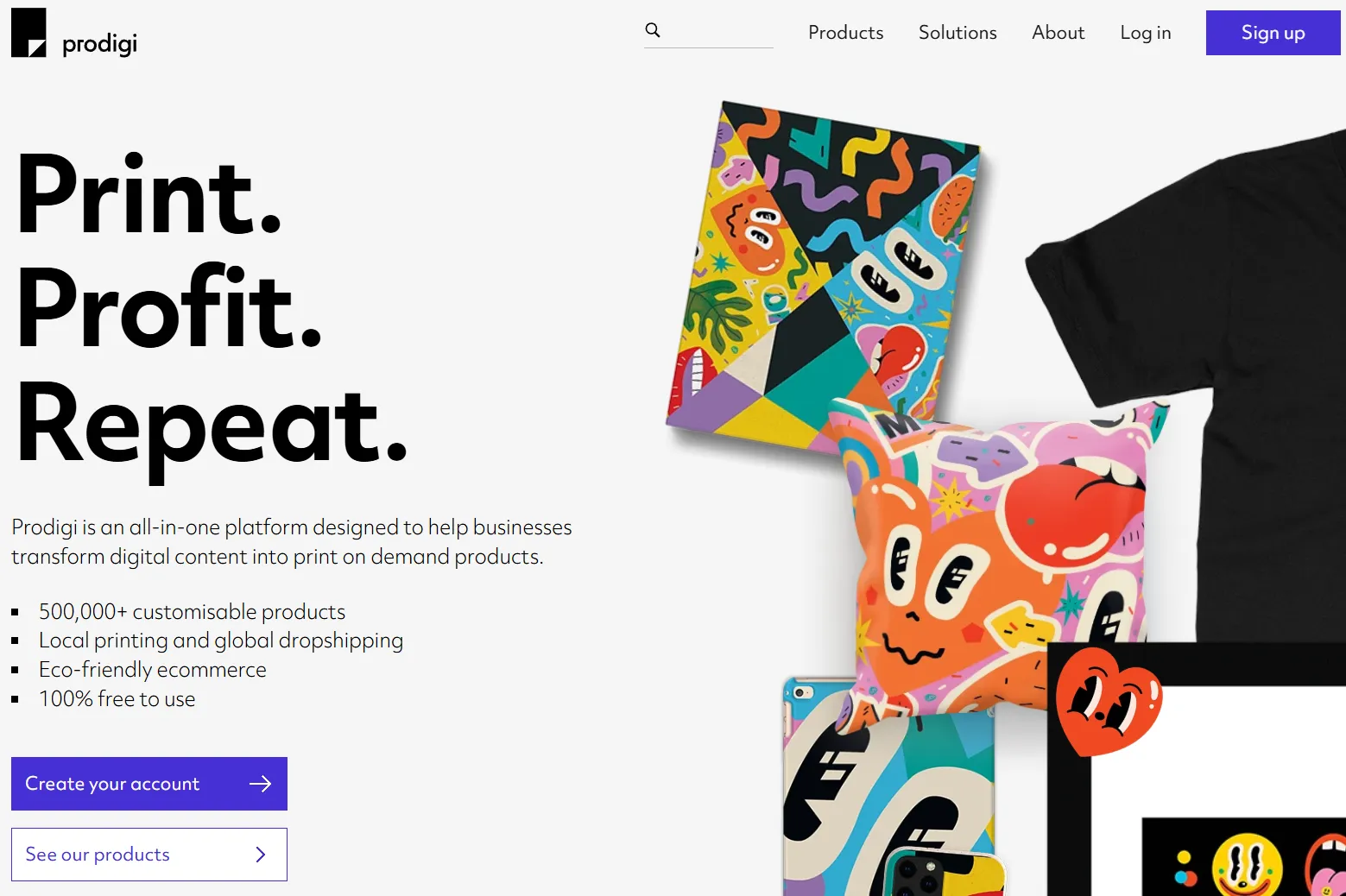
Prodigi is a printing platform that has flown under the radar for the most part. That’s because they used to be very much “behind the scenes”. Big providers used them to print/ship their items, but they weren’t actually (that) accessible to online merchandise sellers. They were the kind of company that could reliably print a huge number of custom shirts for your physical store, once you were big enough.
In recent years, however, they tried to switch to “print-on-demand” more. To give more competitive pricing on printing something once, on demand. To create an interface for “regular people” to use, and integrations with common systems (such as WooCommerce).
As such, without making an account, you can’t actually get a lot of information. You have to register and try using their systems to actually figure out their catalog, pricing, features, etcetera. They have made great strides, but it still feels a bit like their print-on-demand systems are seeds that have only just been planted.
That’s why it took me a while to discover this platform, and even longer to take it seriously and actually try it out. Then it took me even longer to really understand how it worked and use it.
Why put so much effort into it, if it seems so obscure? Because online reviews about Prodigi were really positive about their quality. That is, quality of products, packaging, shipping fees, speed of shipping, etcetera. To sweeten the deal, Prodigi have a strong base in Europe and were thus much more useful for my European webshops. They print more locally, shipping fees are much lower for my case, and there’s less hassle with customs fees or currencies.
Those are just a few reasons that made me try the platform, and then use it more and more as time went on. But you have to know, before going in, that they are very different from other POD platforms. In my view, they are either ideal for your use case, or a much worse system if your requirements do not align.
How does it work?
First of all, go to their website, make an account, and connect a store. Prodigi is a platform, not a host/store, so you need your own custom store and domain first to integrate with. This is all free with no upfront costs or other requirements.
Then, you need to understand their process. This is crucial, and I wish they explained their general philosophy more clearly from the start. Because it’s not necessarily a bad one, just a different one.
You see, almost all POD platforms work as follows. You pick a product on their website, design it on their website, and when done, you press a button and it automatically lists the product on your website.
Prodigi goes in the reverse direction. The general workflow for creating a product is as follows:
- You create your product listing yourself first, on your website.
- Then, Prodigi automatically imports that into their system. (It regularly “polls” your website to check for updates, and if it finds new products, inserts them into your dashboard. This has many gotchas I’ll explain later.)
- Once that’s done, you can configure what product to actually make inside the Prodigi dashboard.
For example, if you have a WordPress + WooCommerce combo, you would
- Integrate it first by connecting your store to Prodigi. When that happens, it first tries to import all your existing products.
- If Prodigi is the only platform you use, then this is fine.
- If you use other platforms too (like me), you have to wait a bit longer (for nothing), and then make sure you turn off those other products so Prodigi doesn’t try to fulfill them.
- Whenever I want to add a new product, I manually create that product in WordPress.
- I give it the title, description, tags, everything within WordPress.
- Yes, this also means, for example, I have to create and upload a mockup myself to my own website.
- Within a few minutes, usually, Prodigi has discovered this and I can find that product in their dashboard.
- I press the button to “turn on” this product. (This means Prodigi fulfills it, otherwise they ignore it.)
- Then I press “configure” and actually pick what product to make, when someone orders one of these.
- That’s also the moment I upload the custom design for it.
As stated, if you’re used to other POD platforms, this will be confusing at first and hard to wrap your head around. Once you realize it’s in the reverse direction (your website > their website), it’s actually quite easy. And, as I’ll explain more in-depth below, I have reasons to prefer it over the usual workflow.
The general workflow for selling a product is the same as any POD platform, though.
- When someone orders the product on your website, and you turned it ON at Prodigi, they are notified.
- They instantly invoice the costs for producing that product. If you can’t pay at the moment (e.g. you connected a credit card that doesn’t have enough balance), the order is simply put on hold until you do pay.
- If paid, they automatically produce your custom product and ship it to the customer’s doorstep. You should never have to intervene or get involved here again.
The crucial thing here is that this is a two-step process. It charges you immediately for the order. Some time later, you get the money that your customer paid from your storefront. As such, you need to make sure you have some reserves ready to pay for a sudden influx of orders (or delayed payment of the money owed to you). If not, no harm done, it just means all orders placed will not move forward yet—not until you then manually pay them and “continue” them.
Designing
Prodigi … has no designer.
As stated, once you’ve already made your product listing and turned it on at Prodigi, you simply …
- Select the product they should print when ordered.
- And upload the final image (+rotate/place/scale if needed) to be put on that custom design
Prodigi doesn’t do “multiple variants under the same name”. Instead, different options all have unique IDs.
This is a natural consequence from their setup. Because how do you setup variants? You need to set them on your website first. (For WooCommerce, for example, you go to Product Attributes, provide the list of options, then generate Variants from that.)
Once your product is imported at Prodigi, it recognizes those variants and you can set the unique product to fulfill for each.
Is this good? Is this bad?
I have always designed things fully before uploading them. I have never used any of those designer features at other platforms, so I don’t mind. I had my perfectly finished images anyway, and I could upload them to Prodigi without issue and get the product I wanted.
I suppose people who rely more on the designer, or want to “play around/experiment” more, will absolutely miss this. In fact, I can confidently say that Prodigi is not for them (at this point in time). Period.
It would already help a lot if Prodigi more clearly communicated their requirements. If you want to know the right dimensions and resolution before designing something …
- You have to really search the Product Page (for a specific product you intend to make) …
- To find a download link for something like “Templates” …
- Once downloaded, you have image or PDF files with the templates for ALL products within this category.
- You put the one you need into a design program, and it shows you the right sizes (and how much space to leave for bleed or print errors, for example).
Templates like these are more useful and professional than just saying “we need a 10"x10” image or something, figure it out" (like most platforms do). But it’s, again, not friendly to amateurs and more work to figure out how/where to get these than necessary.
In conclusion, the “design” step at Prodigi just means “design the whole thing yourself any way you want, then upload the final image when done”. Not a problem for me. Could be a big problem for you.
For what it’s worth, their uploading process/file management is quite fast, clean and reliable. Especially compared to some other POD platforms where uploads regularly just … failed?
The biggest missing feature here is the ability to apply one image/design to multiple variants at once.
I sell some canvases at different sizes. This means the exact same image is used for 8x8, 10x10, 12x12, etcetera. There is absolutely no difference, just a high-resolution image centered and scaled to fit for all.
At most POD platforms, I can just upload that image once and I’m done for all variants. At Prodigi … I have to configure each one individually, every time. This was so cumbersome that I heavily scaled back the number of different variants I offer on most products. You might see this as a good thing because it taught me minimalism.
Listing
So, what do I think about their “inverted” process for listing a product? Is it a benefit or not to start a product’s life at your own storefront, and only then send it to the one who should fulfill it?
There are clear benefits here, of course.
- I can already prepare and tweak a product before having the final design or fulfillment ready.
- I have absolute full control over all details. (Some POD platforms, for example, remove certain formatting from descriptions I put in, forcing me to constantly fix that after the fact.)
- This feels more natural for how the creative design process works, at least for me. A product idea starts its life as a general title, a general design, a wanted look. “Fulfilment” of the product should be the final step; the final knob to turn on once you have finalized all the details.
Especially having full control (and thus flexibility/freedom) is quite important. It also means full control to make stupid mistakes, of course, such as adding a product and forgetting to turn it on at the Prodigi side. But, in my experience, those risks are always there and it’s worth having them if you get freedom in return.
But I also experienced two clear downsides.
- That delay between creating your product and waiting for Prodigi to pick it up is … annoying. Sometimes it picks it up immediately. Sometimes it takes a while. Often, it picked it up too soon, so it had already listed the product but BEFORE I saved the different variants, which means it was basically “broken” at Prodigi and I had to wait longer. (Even before saving something as a draft, Prodigi had sometimes already imported what I had so far! Greedy!)
- It removes any more fluid, experimental, may I say fun aspect of designing these products. The workflow is so minimal and rigid, and I have to think of everything beforehand, that there is no spontaneous decisions and no creative inspiration along the way. I have to finish the entire product (including price tag, finding and saving the exact product SKUs I need, etcetera) before doing anything with Prodigi. Setting everything in stone early is usually not conducive for getting to the best creative end product.
For example, the information about a product is scattered at three different locations.
- You have to search through the catalog to find the main product page. This contains the (sometimes quite barebones) info sheet, those downloadable templates I talked about, etcetera.
- Buuuut you have to go to a different tab called pricing sheets to get access to actual prices for the entire product. This is a
.csv(spreadsheet) file with all information for all products within a (sub)category. You can’t target any specific thing you’re looking for. - Then I have to search through these different variants and write down the unique product ID (or SKU) for the exact ones I want. Because, once I created my listing in WooCommerce and turned it on at Prodigi, I need to know all that shit to actually connect the correct products.
This is a lot of work to get information that should really be in one place. It is in one place at almost all other POD platforms. Because it’s so hard to get information, you’re more reluctant to change it later, or pick things on the fly based on how your design is turning out. It just feels a bit more rigid and restrictive, adding a new product you’re excited about more … cumbersome.
Which brings me to …
Getting Detailed Information
My biggest gripe with their system—or just flabbergasted surprise—is the fact they’re almost hilariously secretive with their core information (such as pricing, shipping, templates).
To see prices + shipping rates + all other detailed info, you must …
- Visit the “Pricing Sheets” tab.
- Visit the specific product category in which you’re interested.
- Pick your destination Country.
- And then you can download the
.csvfile with all the information. - Which you must then open with … something. Some of these files had SO much information inside that Google Spreadsheets and Excel didn’t open them correctly. I ended up using some random open source web-based tool to read
.csvfiles.
This is an “okay” system, I guess. You get everything in one place and clear numbers on shipping to your preferred zones. (In my case, for that first webshop, the Netherlands.) Because you get the entire spreadsheet with all items in the same category (e.g. all possible mugs or drinkware), and their exact costs (price + shipping), you can easily compare and pick the best one for you.
Still, a price attached to the actual product as you browse would’ve been nice. Or simply downloading all data at once, or data for multiple countries.
They’re a bit pricey on some core items … and very cheap on other core items. The same with every platform really. That’s why you use multiple, I’ve learned, and pick the best one for a specific product.
My point here is that it takes real effort to figure this all out. I need to know all that information to properly price, design, and most of all list my products. I feel it should be easier to quickly access at all times.
Mockups
This deserves a special section too.
As stated before, you need to manually create your mockup(s) and connect them to your product. (Or if the product has variants, connect a mockup to each variant yourself.)
Now, I don’t know about you, but I don’t like having to order a sample product, wait for it, buy a nice camera, assign several different nice spaces in my home, and take those mockup pictures myself.
The shortcut, then, is to simply use “stock” environments and put your design into that in a somewhat realistic way. (Maybe use AI to get something nice, but using your design. Maybe, if you can get away with it, fully design the mockup yourself in a non-realistic style.)
This is kind of okay. Again, the freedom here is empowering. I complained about other platforms sending too many mockups, or paywalling their best ones in annoying ways—well, none of that here, I can do whatever I want with mockups!
But it’s also clearly more work. Prodigi do provide a separate mockup generator website. But like most of their offerings, they’re almost secretive about it, and the generator doesn’t support all their products/variants yet. In practice, I was able to generate 2/3 of my product mockups with their default generator, and had to do the other 1/3 fully myself.
If they have the generator anyway … how hard can it be to add a button like “generate/send mockup with selected design” when you’re in the interface anyway? My programmer brain says “absolutely not hard”, but I obviously don’t know their systems behind the scenes.
Shipping
Fees
In my other POD platform reviews, I wrote long sections about shipping fees. Printify’s fees are a downright scam. Others are just high, or inconsistent and unpredictable. Few platforms use reasonable metrics or numbers here, which is very annoying.
Clear and reasonable shipping rates per country are another reason I gave Prodigi a try.
- They have clear and definitive rates per country, though it doesn’t change much between countries.
- On the Product Page, they show prices both WITH and WITHOUT tax. (Which, in my opinion, every darn store should always do!)
- They clearly communicate the printing location, the currency used, and whether that might involve customs fees or anything else.
- Most of their shipping is fast and tracked. Which is, again, information I can find in those spreadsheets, which I can’t find at all at most POD platforms.
- These rates are usually lower than something like Printify or Printful.
Prodigi clearly communicates where a product can be printed. Sometimes, the exact same product is listed twice, but simply from different providers. Most of the time, there was an option for printing in Europe, and I obviously picked that one. If you do that, costs and shipping fees are very reasonable and consistent.
As with any POD platform, if you try to ship something to Europe that can only be printed in America, you are bound to be hit with high shipping fees.
What I’m saying is: the first step to getting these fees under control is simply being smart about where you print and where you ship. “Worldwide shipping” or “international shipping” is impossible for most (small) online stores. Prodigi, in my view, finds the right balance. It allows you to say “okay use product ID A if it must be shipped to America, use product ID B if it must be shipped to Europe”, without adding an overwhelming amount of options or any extra convoluted systems.
Like before, it’s all in your hands. And in my experience, at least in Europe/UK, you can find something local and reasonably priced for most products.
Customs & Other Gotchas
At Prodigi, especially the “next item shipping fee” is far, far more reasonable than anywhere else.
For example, at many platforms, shipping 2 mugs will charge the full shipping fee once, and then a reduced fee for the second item. This is usually 20%-50% of that full fee. This is idiotic, because those mugs will just be sent from the same location in the same box. You might be paying a 3 dollar shipping fee for every (7-dollar) mug in the order, which the POD platform just pockets because it doesn’t actually cost them that much extra.
At Prodigi, many items either add no extra shipping cost for multiple items (at a guess, this is true for half their catalog), or a very low price. Based on my knowledge of these numbers, this is actually fair and honest. And it allows pricing products more competitively, while preventing surprise costs on especially large orders.
Prodigi also warns you about “possible customs fees”. This is better than many platforms, but still very vague, isn’t it? How high? When do they apply and when not? In Europe, this is especially fuzzy now that UK has made the absolutely idiotic decision called Brexit. Are they still part of us? Or are there customs fees? Nobody knows. Prodigi probably doesn’t know.
I don’t like having to tell customers “maybe, maybe not, there might be a customs fee, I don’t know how high, you probably need to pay that at the door when the package is delivered, maybe, maybe not, who knows?” :p
At least Prodigi is somewhat communicative about this. But that communication is still severely lacking.
Pricing & Payment
Payment
As stated earlier, you’re free to decide your own price. Prodigi will just invoice their costs for making the product; they don’t care how you get your profit or where it comes from. As such, it’s up to you to price your products high enough to cover shipping, taxes, any other costs for running your webstore, and the slight risk of damages or returns.
In my case, I found that a profit margin of 20%-30% on “Prodigi price + shipping fee” gave me some sustainable margins without creating ridiculous prices for products. (Remember that this allows free shipping, but this price is excluding VAT.)
Prodigi allows connecting a credit card or PayPal. I chose the latter, to be able to use the same bank account for all POD platforms I tried.
You can create products and even add them to your store without entering any financial information. BUT, as stated, those orders will be put on hold when the system realizes it can’t invoice the costs. You cannot get anything printed or shipped without paying first.
Taxes
I commended Prodigi for showing all prices with and without tax/VAT on their Product Pages. It is nice.
The downside is that they’re not really clear on whether they levy that tax or not. In their sparse documentation, they say it “depends on a lot of factors” (your location, printing location, shipping location, etcetera). But how exactly!?
To the best of my knowledge,
- Prodigi will always charge VAT based on those factors stated above.
- But if you are a business, or sell large enough volume to cross the VAT threshold in your country, you can ask it back.
I will update this section once enough time has passed. (I’ve sold enough Prodigi products and finalized a financial year with my local tax office, to have data on how this works exactly.)
Anything Else?
Pfew, I covered every part of the process and gave you my most important pros and cons. Below is just a final list of remarks that didn’t fit anywhere else.
- Yes, it will import everything in your connected store. Even products assigned to different platforms. If you do use multiple platforms behind the scenes, make sure to change the option to “Ignore new products” instead of “Automatically fulfill new products”. Otherwise any new product added to your store, by say Printful, will ALSO be picked up by Prodigi and make a mess.
- There is no way to hide, disable, remove any of the listings. Even products I trashed long ago are still present, in their broken state, in that Prodigi dashboard. This creates a lot of visual noise and confusion, and for what reason? Is it really so hard to create a button to remove stuff, or at least hide from view? Now, whenever I want to configure something, I have to scroll past loads of products that aren’t even in my store anymore, or are fulfilled elsewhere anyway.
- Not all products can be printed on demand. Some products can only be manually ordered, with a custom design, one by one. This is not communicated anywhere! To figure out if this is the case for a product, you have to pretend you want to sell it (create a listing, configure, search the catalog) … and then if it’s not there for you to select, you know it can’t be printed on demand automatically.
After using their website for ~20 products, I emailed them. Because I saw great promise in Prodigi, and it was the most local and reasonable printer for my location (Netherlands/Europe), but the usability—as this review shows several times—is just not there. Also, because they emailed me first asking about my plans with their system and if I needed anything.
I sent them a summarized list with all my feedback/experiences/possible improvements. At time of writing, I have received no response.
And what if we care about things other than money?
Ah yes! The most important part that every other review leaves out!
How sustainable is Prodigi? How ecologically sound? Does it use best practices in terms of labor, local production, etcetera?
Being able to print locally is always a very good first step. As stated, this is also partially up to you—if you really want, or by accident, you can still pick some printing location far far away from any destination. But it’s not hard to find the right option, closest to home, and use that.
They have separate “Eco” options for many popular products. Often more expensive, but nothing too bad.
They have a few areas that take most of their focus, such as completely ecological inks, sustainable sourced wooden frames (selling canvasses really seems to be Prodigi’s main thing …), and sustainable packaging/elimination of plastics.
About everything else … I couldn’t find any information. This doesn’t immediately raise red flags, as this review shows that Prodigi’s presentation of information is extremely sparse all across the board. I mean, I had to read their actual terms of service to get a clear picture of their return/warranty/damaged goods policy. Because the very short and very succinct page they dedicated to explaining it left out basically everything.
They’re based in Europe, and try to do everything from inside Europe, which is a good sign for labor conditions, product quality and following regulations. On some products, you can get more information (than you’d get on other POD platforms) by downloading that separate “info sheet” PDF.
We have to conclude this section with a big old “meh” again. Let’s add it to the list of many things Prodigi could be more transparent about, collecting all information in a single page, which can be perused without needing to make an account first.
Conclusion
As stated (at “Anything Else?”), I really wanted to like Prodigi. There is much to like. With some changes and advancements, I can see it becoming the only platform I use for an entire brand and/or webshop.
Their website is fast and clean. There is nothing shady or scammy going on, no paid memberships advertised every second, no convoluted systems or mechanics designed to trick you into losing money. Their offerings are not the most diverse I’ve seen, but more than good enough. Their philosophy of your website first > their website has many upsides that I started to enjoy over time. Freedom, control, flexibility, they’re high on my list of priorities. They support printing in a lot of places (that are relevant to me), at prices and shipping fees that are controlled and usable.
They feel a bit more “professional” or “serious business” than the other POD platforms I tried.
What do you mean by that? Something like Printify is clearly working hard to appeal to amateurs who just want to put a personal photo on a shirt for fun. It has bright colors, fancy stuff, all information easily available even when not logged in. But when you actually want to use it for a shop, you get the nasty exceptions and realize how this setup is not very helpful if you want to run a larger shop.
Once I saw Prodigi’s spreadsheet approach, I quickly realized how much faster I could compare prices and pick the best thing. All the information was there, in front of me, in a nice table. With Printify, I’d need to tab back and forth between lots of things, then still be completely surprised by extra charges or fees when I was done designing—ruining that research entirely.
Prodigi basically tells you “log in first and show you mean it”, and then you get the tools that scale to a larger webshop in the long run. I guess that’s what I mean when it feels more professional and “serious business”.
But they have a long way to go on usability before all those ideal properties can be fully enjoyed. Just a few extra buttons would already mean the world: “add image to all variants”, “remove unfilfilled/trashed listings”, “add product to store” (allowing the other way around if that’s more useful in a certain scenario), “get all info” (get all details for this specific product/variant, immediately, and nothing else).
Until it feels less cumbersome and restrictive to add more products, I won’t be using them more than I already do. Just a few brands, just ~25% of my products.
Those were my thoughts,
Tiamo Pastoor